This release once again has a strong focus on applying Copilot to support sales representatives, account managers, and sales managers in their daily work.
Top Features
1. Microsoft Dynamics 365 Sales Research Agent
The Sales Research Agent in Dynamics 365 Sales helps you explore complex business questions simply by querying your data in natural language. The system uses a combination of different AI models and intelligent agents to reason through complex data structures with deep sales domain knowledge. You will receive clear, ready‑to‑use insights in the form of narratives and rich visualizations tailored to your specific context.
As a sales manager, you can now:
- Set up multiple research routes on both Dynamics 365 Sales data and Fabric lakehouse data, and enrich your analysis with local files such as Excel or PDF.
- Get started quickly with AI-suggested research topics that fit your role, or simply ask your own questions in plain language.
- Use the AI cursor to work directly on the canvas—start conversations, dive deeper into results, customize visualizations, or add new data sources.
- Seeing how the conclusions are structured, so that you understand where the insights come from.
- Save workspaces, refresh them with new data, and have them regenerated as your business changes.
- Define your own business functions with your own diagrams, abbreviations and domain knowledge, so that the analysis fits perfectly with your organization.
What does this look like:
You can choose between pipeline research and sales operation: 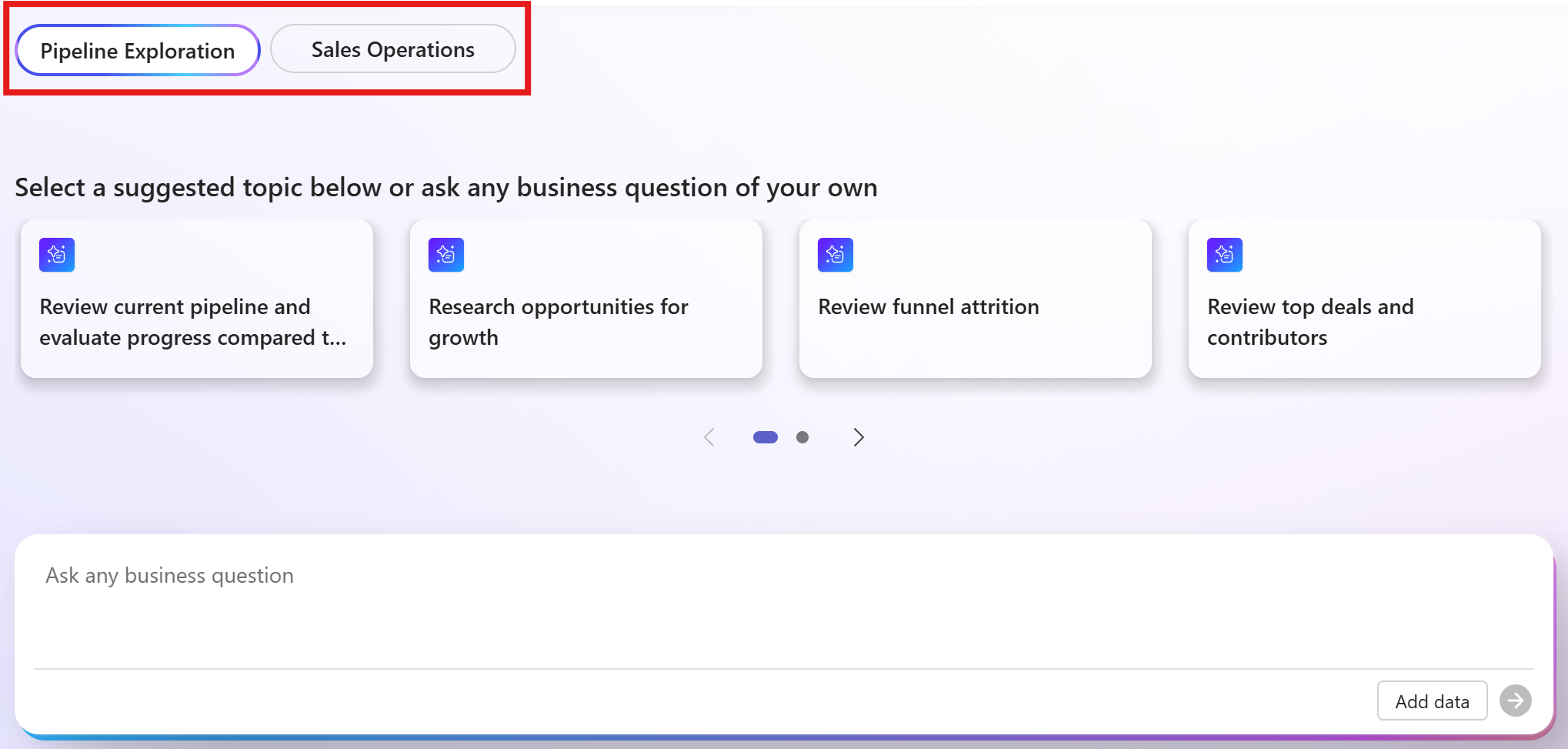
Then a number of topics are suggested or you can ask your question yourself in plain language. The result can then look like this: 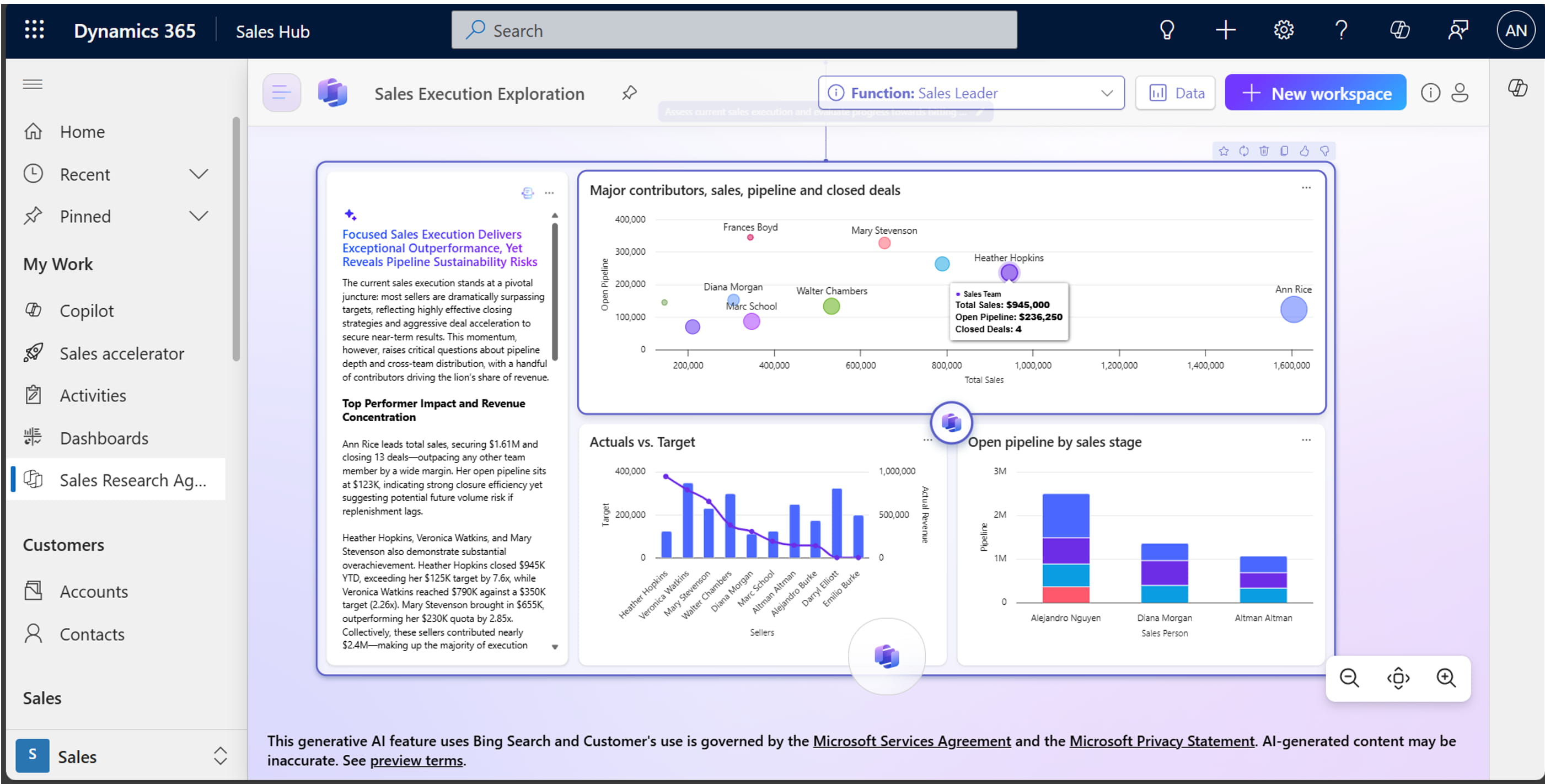
Please note: this feature is only available in English for the time being!
2. Sales Research Agent Portfolio Planning
Portfolio Planning within the Sales Research Agent helps you continuously make smarter decisions about your sales strategy and account coverage—without waiting for annual planning cycles or spending hours analyzing spreadsheets.
You automatically receive an executive‑level overview, composed of CRM data, lakehouse signals (such as targets, budgets, usage, and billing), and relevant web information. This reduces the time spent collecting data and allows you to focus more on the next action.
Insights can easily be translated into prioritized actions, each with a clear owner and a transparent “why this” rationale. This creates a repeatable operating rhythm instead of recurring, time‑consuming planning exercises.
You can clearly see which inputs, reasoning, and recommendations were used, as well as where data gaps exist that affect confidence. This increases transparency and makes plans more actionable.
Examples of data sources that can be used:
Dynamics 365 Sales data, including:
- Opportunities
- Pipeline and forecast
- Accounts and sales activities
Operational data from the Fabric lakehouse, such as:
- Targets and quotas
- Budgets and planned revenue
- Realizations and invoiced turnover
- Backlog and operational performance metrics
You can also add custom data files, such as spreadsheets or external operational datasets not stored in CRM or the lakehouse.
3. Microsoft Dynamics 365 Sales Close Agent
The Sales Close Agent is an AI‑driven Copilot capability in Dynamics 365 Sales that helps sellers close deals faster. It does so by providing intelligent insights and recommendations and — depending on the agent type — automating parts of the sales process. This agent was previously known as the Opportunity Research Agent.
As a seller or account manager, you often work on multiple deals simultaneously, while conditions can change rapidly. Think of new stakeholders, indications of purchase fading, pricing or procurement challenges, or changes in budgets and timelines.
A sales deal can quickly lose momentum if you miss what has changed, why it matters now, and what to do next.
Building on existing deal briefings and continuous monitoring, Sales Close Agent – Research aligns its guidance with the current phase of the Business Process Flow (BPF). After your initial review, you primarily see the delta: what has changed since the last review, why it matters at this stage, and which actions are most effective to keep the deal moving.
This keeps you continuously up to date without needing to reread full briefings each time. You save time by no longer interpreting generic information yourself and can move deals forward with greater confidence.
The Sales Close Agent – Research also uses historical outcomes (when available) to recognize recurring patterns early. It explains why those patterns matter in the current phase and recommends next steps that have proven successful in the past. In this way, historical deal insights are transformed into clear, actionable guidance that helps maintain momentum and increase progression at each stage.
As a seller or account manager, you receive:
- Phase-focused guidance: Insights and recommended actions tailored to the current BPF phase and sub‑phase signals.
- Delta first updates: Immediate visibility into what has changed, why it matters now, and the best next steps.
- Critical risks that are always visible: Urgent risks spanning multiple stages remain visible until addressed.
- Standard coverage of all sales phases: Guidance for Qualify, Develop, Propose, and Close—with flexibility for your customer‑specific variations.
- Ask questions in context: Ask questions directly within an opportunity to refine preparation, assess risks, and plan next steps.
- Stage impact filter: Historical patterns are shown only when they influence the recommended next action or priority.
- Action required: Every pattern is linked to a clear follow‑up action (for example: address a recurring objection, involve a missing role in the DMU, or confirm procurement readiness).
- Explanation first, then action: Clear explanations of patterns, their relevance, and what to do next—making guidance truly actionable.
- Broad coverage: Insights across competition, stakeholders, timing, objections, solution fit, pricing and discounting, plus cross‑sell and upsell signals where usage and buying trends are available.
- Subscribe to key deal signals: Important insights and recommendations are refreshed immediately when relevant changes occur—no need to wait for scheduled updates.
More information can be found on YouTube: Introducing the new sales agent for Dynamics 365: Sales Close Agent
4. Sales Hub dialer
As a seller or account manager, you spend a large part of your day in conversations with customers. The new Sales Hub Dialer enables you to conduct these conversations entirely within Dynamics 365 Sales, without switching between applications.
With the integrated calling experience, you can:
- Make outgoing calls
- Answering incoming calls
- Instantly see customer context
- Quick note-taking
- Automatically capture call summaries and insights
All of this happens without leaving the Sales Hub, helping you stay focused, work faster, and have richer, more productive customer conversations. 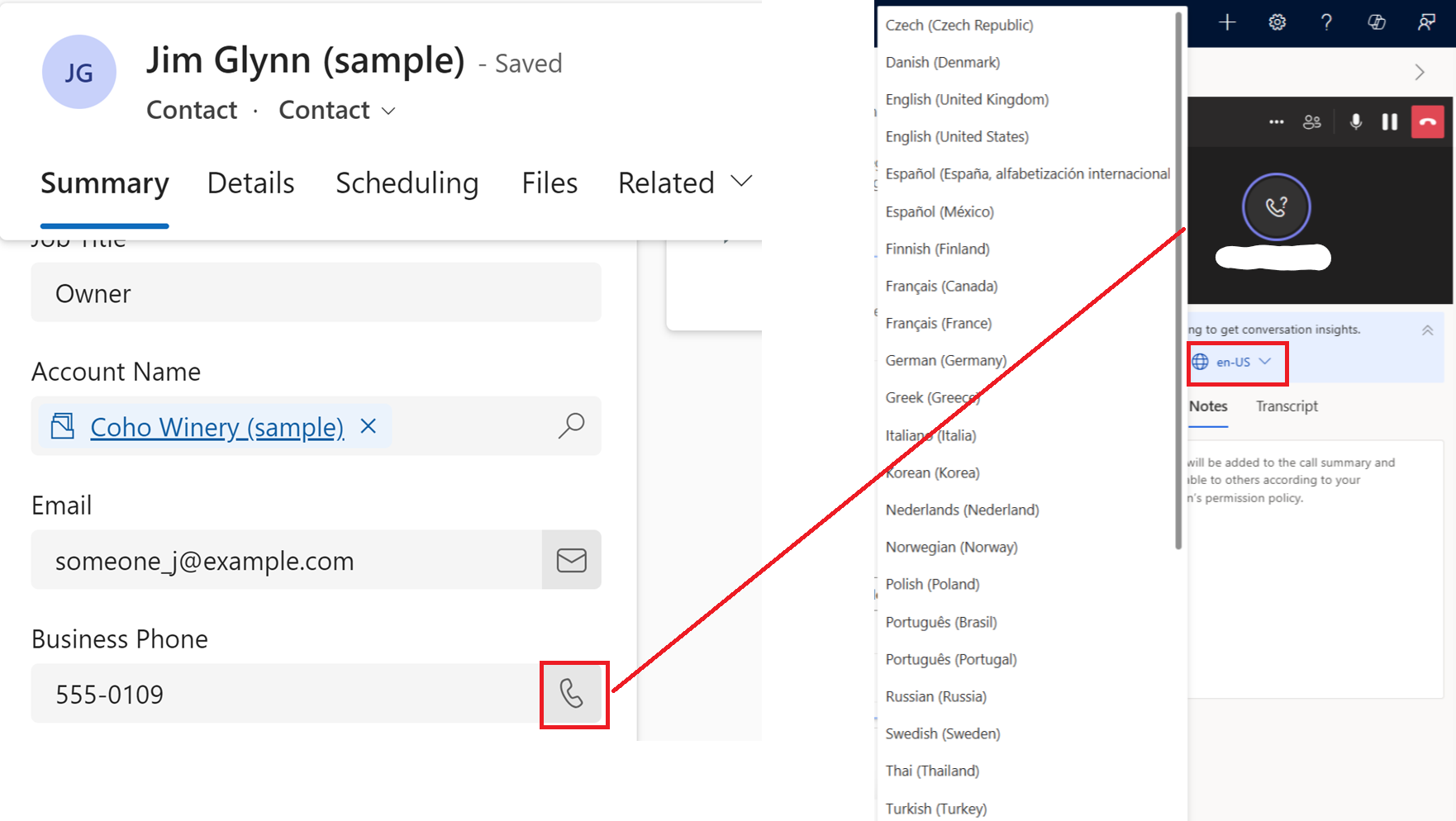
The Sales Hub Dialer is not a standalone telephony solution; it is a Teams‑integrated module that leverages Azure Communication Services and Microsoft Teams telephony.
What's in it for you?
Sales Manager
For sales managers, this means being able to perform real‑time, reliable analyses independently, without relying on others. Tasks that previously took days or even weeks to compile are now available instantly. AI also enables much deeper insights into areas such as pipeline, revenue forecasting, and other critical topics.
The Sales Research Agent helps sales managers continuously make smarter decisions about sales strategy and account coverage—without waiting for annual planning cycles or spending hours analyzing spreadsheets.
Sales managers automatically receive an executive‑level overview, composed of CRM data, lakehouse signals (targets, budgets, usage, billing), and relevant web information. This reduces data‑gathering time and frees up capacity for action.
Sellers
With the Sales Close Agent, sellers stay continuously up to date without needing to review full briefings each time. Sellers save time by no longer interpreting generic information themselves, enabling them to move opportunities forward with greater confidence.
As a seller or account manager, you receive:
- Stage aligned guidance
- Delta first updates
- Always visible critical risks
- Standard coverage of all sales stages
- Ask questions in context
- Stage impact filtering
- Action oriented next steps
- Explanation first, then action
- Broad insight coverage
- Subscriptions to key deal signals
With the new Sales Hub Dialer, sellers can conduct all customer conversations entirely within Dynamics 365 Sales, without switching between applications.
Why act now?
Based on the examples above, it’s clear that this functionality has matured and delivers significant value within the sales process. Time‑consuming manual tasks are automated, creating space for more personal and challenging sales activities—now supported by better preparation and richer insights than ever before.
Because most of these capabilities can be enabled without impacting existing sales processes, organizations can start using them without risk.
Written by

Roland Hubbeling
Functional Architect