HiveAI Skills Library – Create once. Share with everyone.
AI assistants are only as useful as the knowledge they have access to. The HiveAI Skills Library helps organizations turn individual expertise into shared AI capabilities. By making reusable instructions for everyday tasks available across teams, it helps people work more efficiently, deliver consistent results and get more value from the AI tools they already use.

Why a skills library?
Today, employees often solve the same AI challenges independently. One colleague figures out how to create a great scoping document, but that knowledge stays with them. The next person starts from scratch, explains the context again and gets a different result.
With the Skills Library, that expertise no longer stays with one person. Employees can create AI skills based on their knowledge and best practices, then share them through a central library where others can easily discover and install them. Instead of repeatedly starting from zero, teams can build on each other's work, continuously improving how AI supports the organisation.
How a skills library can help?
- Turn what one person knows into something the whole organisation can use
- Show that a skill works before anyone depends on it
- Let people find what colleagues have already solved, instead of starting again
- Keep one version of how a job is done, not forty variations
- See which skills are used, and which are quietly ignored
- Withdraw a skill that is wrong or out of date, everywhere at once

Teach
Capture
Describe the job the way you would to a new colleague. The workbench asks the questions you would not have thought to answer, and writes the skill for you to correct.
- No templates, no syntax, no developer
- The expert stays the author — you edit every word

Prove
Test against a standard
Write down two or three things someone would ask for, and what a good answer does. The skill is run against them and the results checked.
- The standard is yours, not the model's
- Cases travel with the skill, so the next person can re-run them

Share
Publish
Share with your team, your country or the whole organisation. Several related skills can go out together as a bundle.
- You choose who can see it
- Versioned, so an improvement never breaks what people have

Install
Adopt
A colleague finds it and installs it in one click. It goes into whichever assistant they already use, and works the next time they start a conversation.
- Claude Code, GitHub Copilot, Codex, Gemini and more
- Nothing to configure, nothing to learn

Improve
Operate & evolve
Skills get better because people use them. Feedback comes back to the author, updates are offered to everyone who has it, and the cases say whether a change helped.
- Feedback from the people actually using it
- Adoption and version spread, without reading anyone's work

Retire
Withdraw
A process changes, a template is replaced, a skill turns out to be wrong. Withdraw it and it stops being offered — without breaking the people who already have it.
- The name stays yours, so nothing else can take it
- Share it again whenever you are ready

Governance and security run through all of it
A shared library needs to be both trustworthy and secure. That's why governance, transparency and access control are built into the platform from the start, helping organisations share and manage AI skills with confidence.
Key security and governance capabilities include:
- Secure sign-in: Users access the library with their existing work accounts, without additional credentials.
- Controlled access: Only approved email domains can access the library.
- Role-based permissions: Spaces and roles determine who can view, publish and manage skills.
- Full transparency: Skills are written in plain text, not executable code, so they can be reviewed before installation.
- Clear ownership: Every skill includes information about its author, version and origin.
- Verified installation: Installers are signed and notarised, allowing IT teams to verify their authenticity.
- Privacy by design: Usage is tracked through activity counts without recording the content of users' work.
Turn business expertise into reusable AI skills
The people who understand business processes best aren't necessarily developers. Consultants and subject matter experts have valuable knowledge gained through real-world experience, but turning that knowledge into AI capabilities shouldn't require technical expertise.
Creating and sharing an AI skill follows four simple steps:
1. Notice
Identify a recurring task, question or process where your expertise could help others work more effectively.
2. Describe
Explain the task in your own words. Your knowledge is turned into clear instructions that an AI assistant can follow.
3. Prove
Define what a successful outcome looks like and test the skill to ensure it delivers the expected results.
4. Hand over
Share the skill with others, monitor its adoption and use feedback to improve it over time.
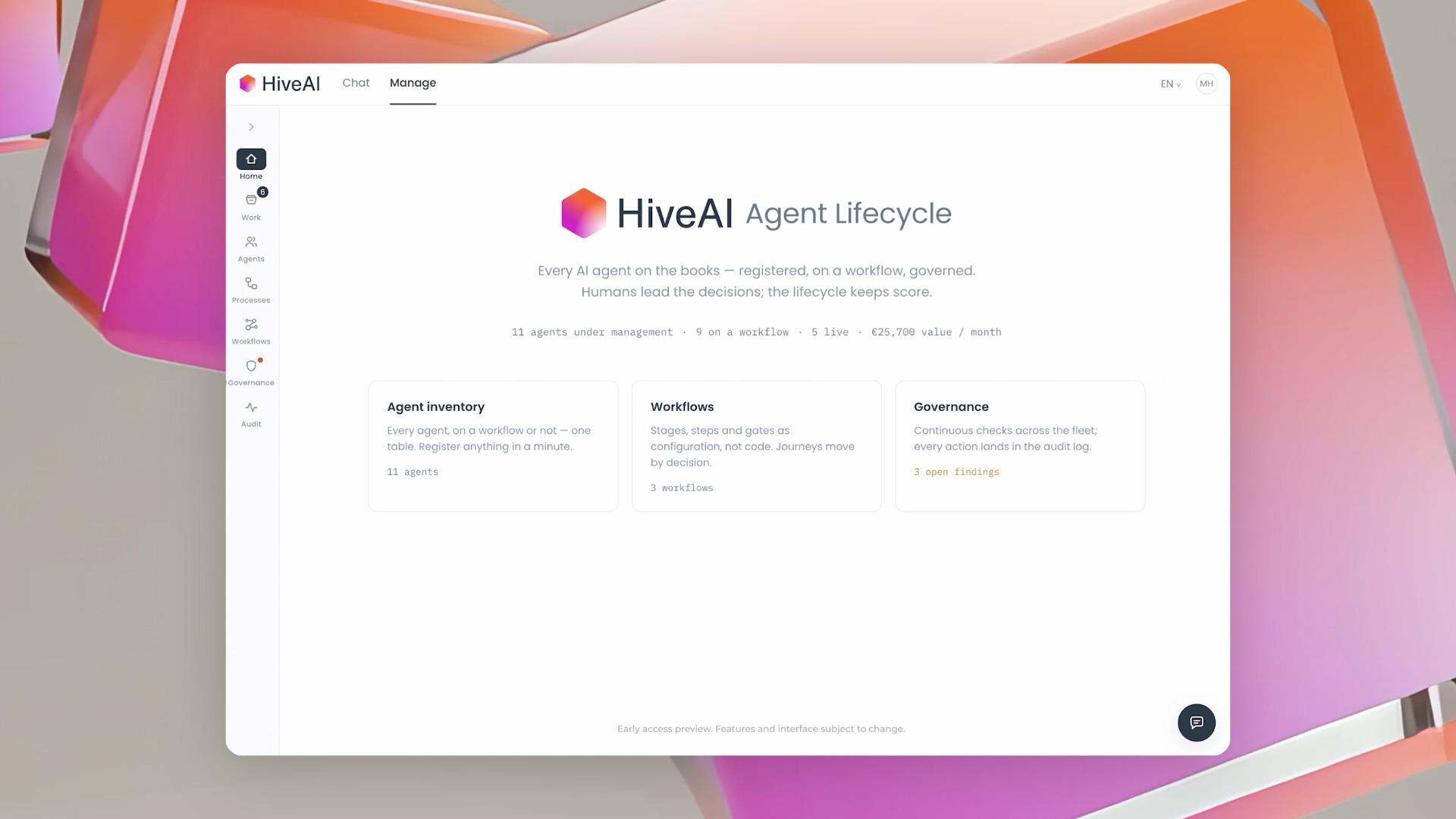
From one skill to a digital workforce
Skills are where most organisations should start: small, useful, and owned by the people who do the work. They are also the raw material for what comes next — the capabilities your agents are built from. When you are ready for agents with roles, onboarding and a performance review, the lifecycle is already waiting.